Neverness to Everness
Enhancement tool for Neverness to Everness (NTE)
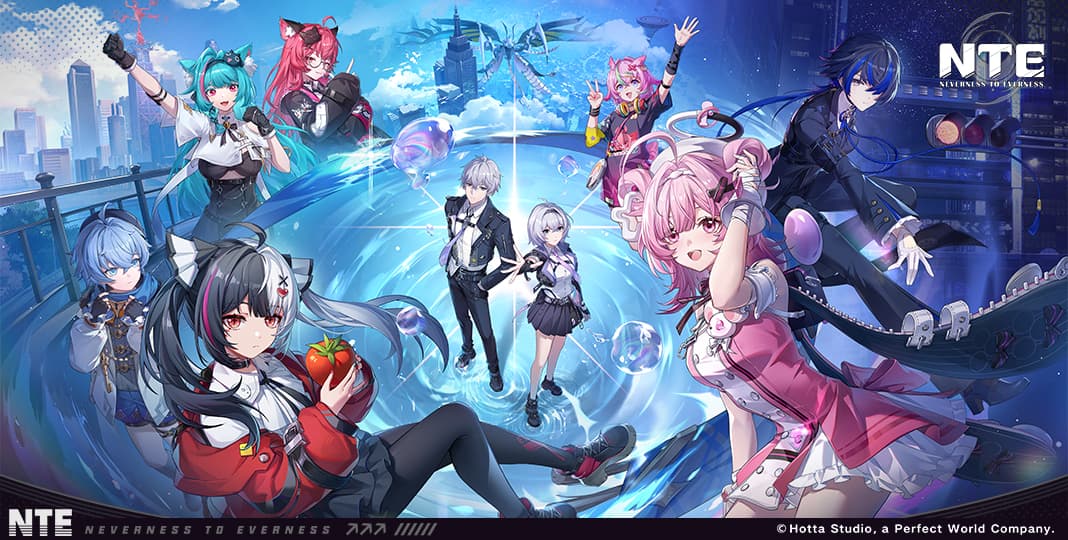
Neverness to Everness
Overview
Master the supernatural urban world of Hethereau with our advanced enhancement tool for Neverness to Everness. Gain a competitive edge with comprehensive ESP, teleportation, and performance adjustments.
Features
ESP Features
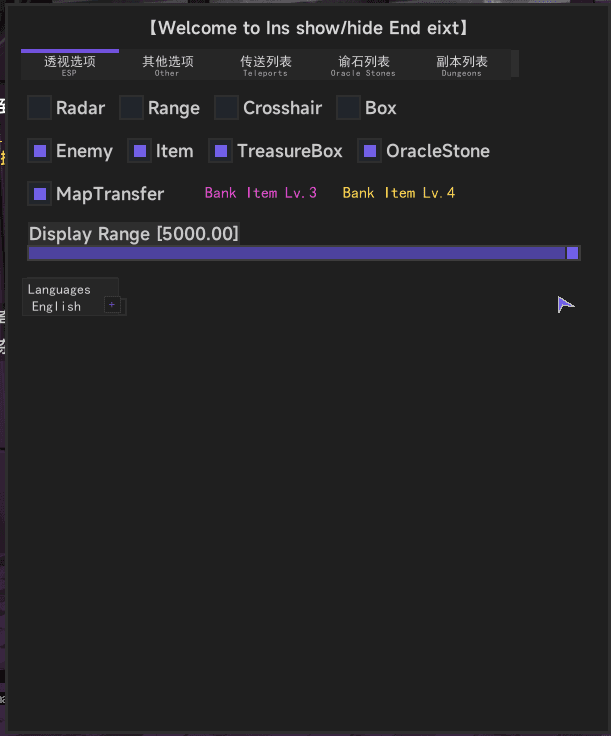
- Radar: Real-time tactical radar
- Range: Distance display for all targets
- Crosshair: Custom aiming overlay
- Box: 2D/3D bounding boxes
- Enemy: Detailed enemy information
- Item: Loot and resource tracking
- Treasure Box: Locate all hidden chests
- Oracle Stone: Find supernatural anomalies
- Map Transfer: Instant map-based navigation
- Bank Item Lv.3/4: High-tier loot filtering
- Display Range: Configurable visualization distance
Other Features
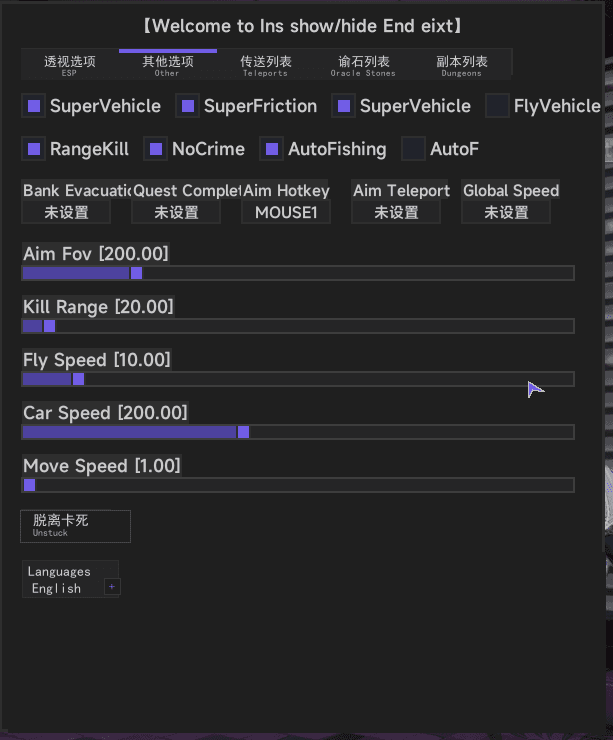
- Super Vehicle: Enhanced car performance
- Super Friction: Perfect handling and grip
- Fly Vehicle: Aerial mobility for any car
- Range Kill: Clear enemies within radius
- No Crime: Suppress all legal heat
- Auto Fishing: Perfect catches every time
- Auto F (Interaction): Automated world interaction
- Bank Evacuation: Quick escape from bank zones
- Quest Complete: Instant mission progression
- Aim Hotkey/Teleport: Advanced combat tools
- Global Speed: Adjust game simulation speed
- Unstuck: Emergency escape from terrain
Teleport & Lists
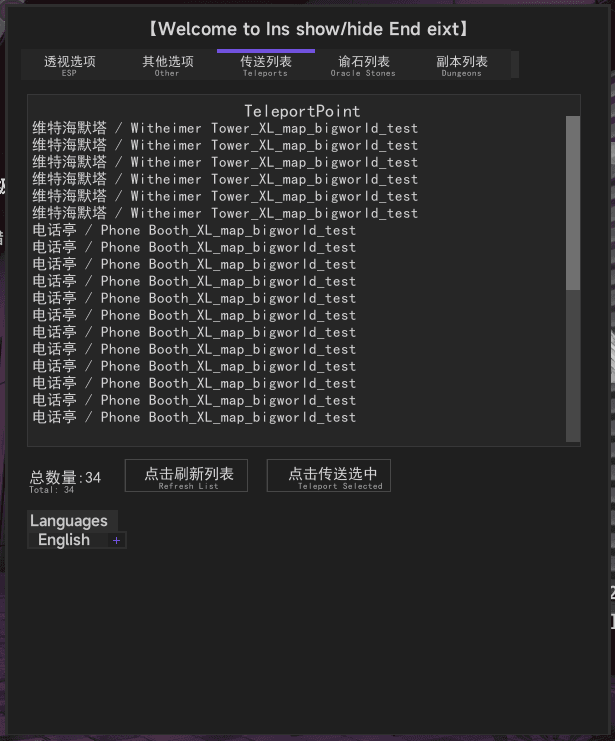
- General Teleport: Major city landmarks
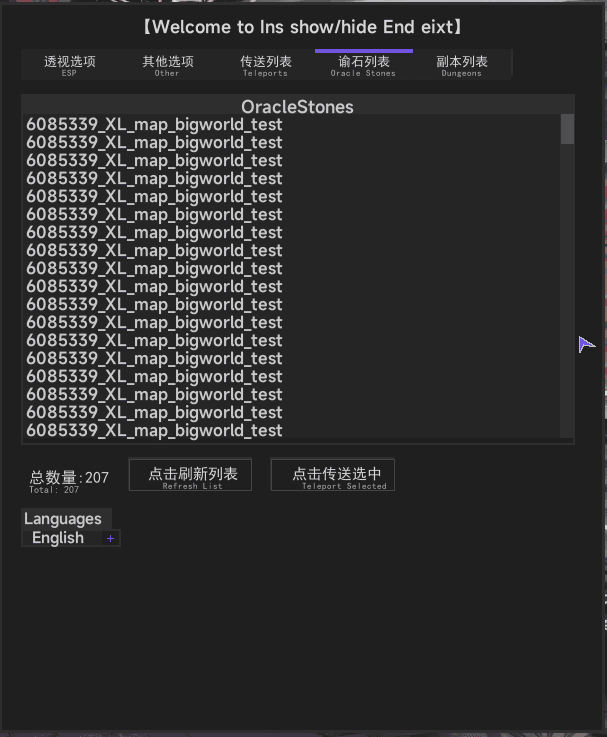
- Oracle Stone TP: Instant anomaly access
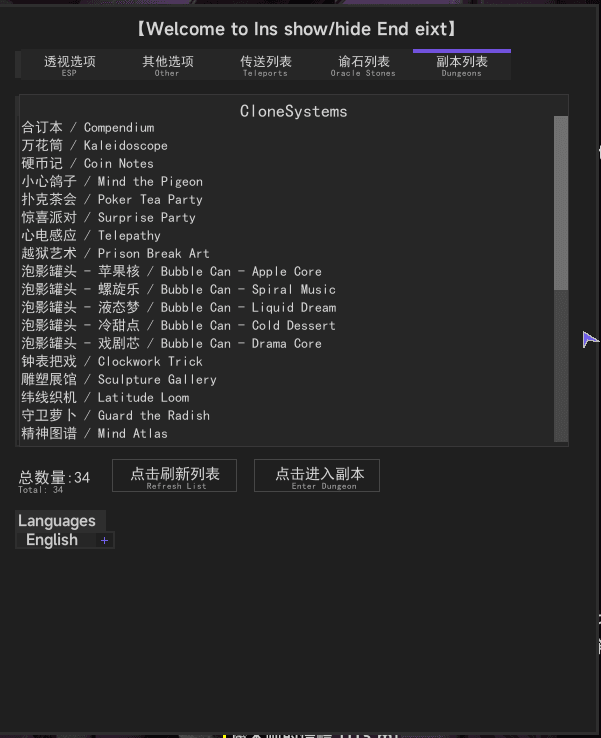
- Dungeon Teleport: Clone and instance navigation
Adjustments
- Aim FOV: Combat field of view
- Kill Range: Lethal radius adjustment
- Fly Speed: Aerial navigation velocity
- Car Speed: Driving performance multiplier
- Move Speed: Character movement velocity
Menu Screenshots
Download
Download Loader
The loader will automatically update to the latest version.
Next Steps
Prepare Your System
Before running the loader, ensure your system is properly configured for the best experience.
Learn How to Inject
Follow our step-by-step tutorial to safely inject the tool into Neverness to Everness.